

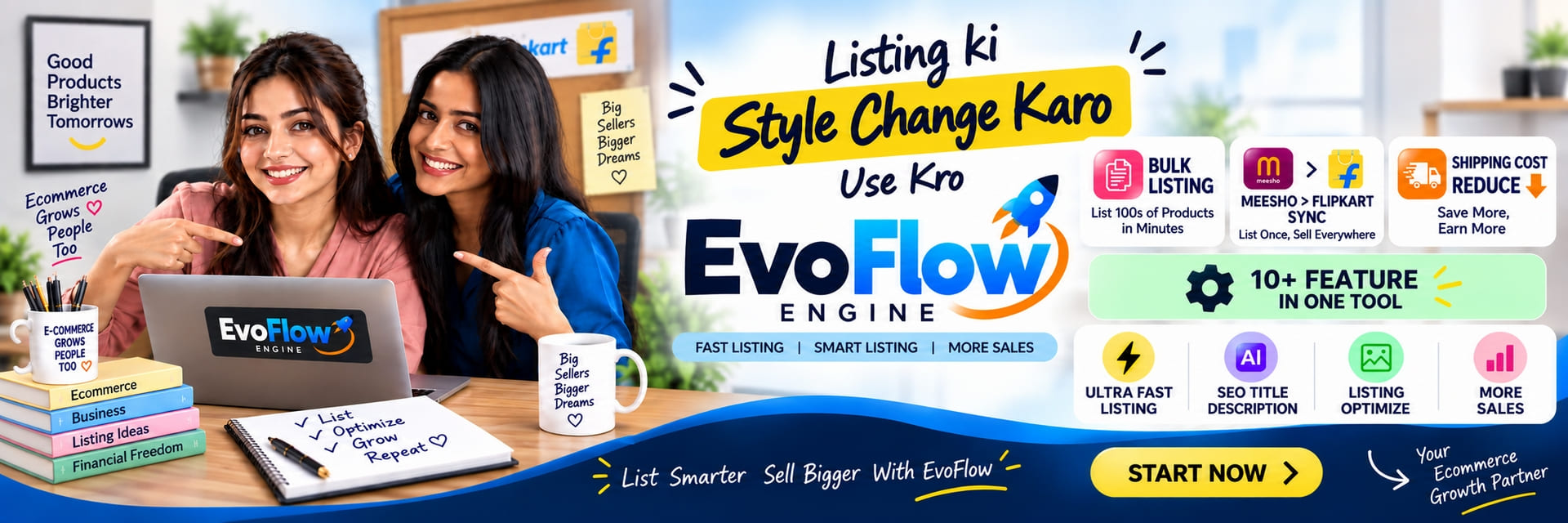
Inside Evolution Edge
EvoFlow: list on Meesho and Flipkart without filling the same form twice.
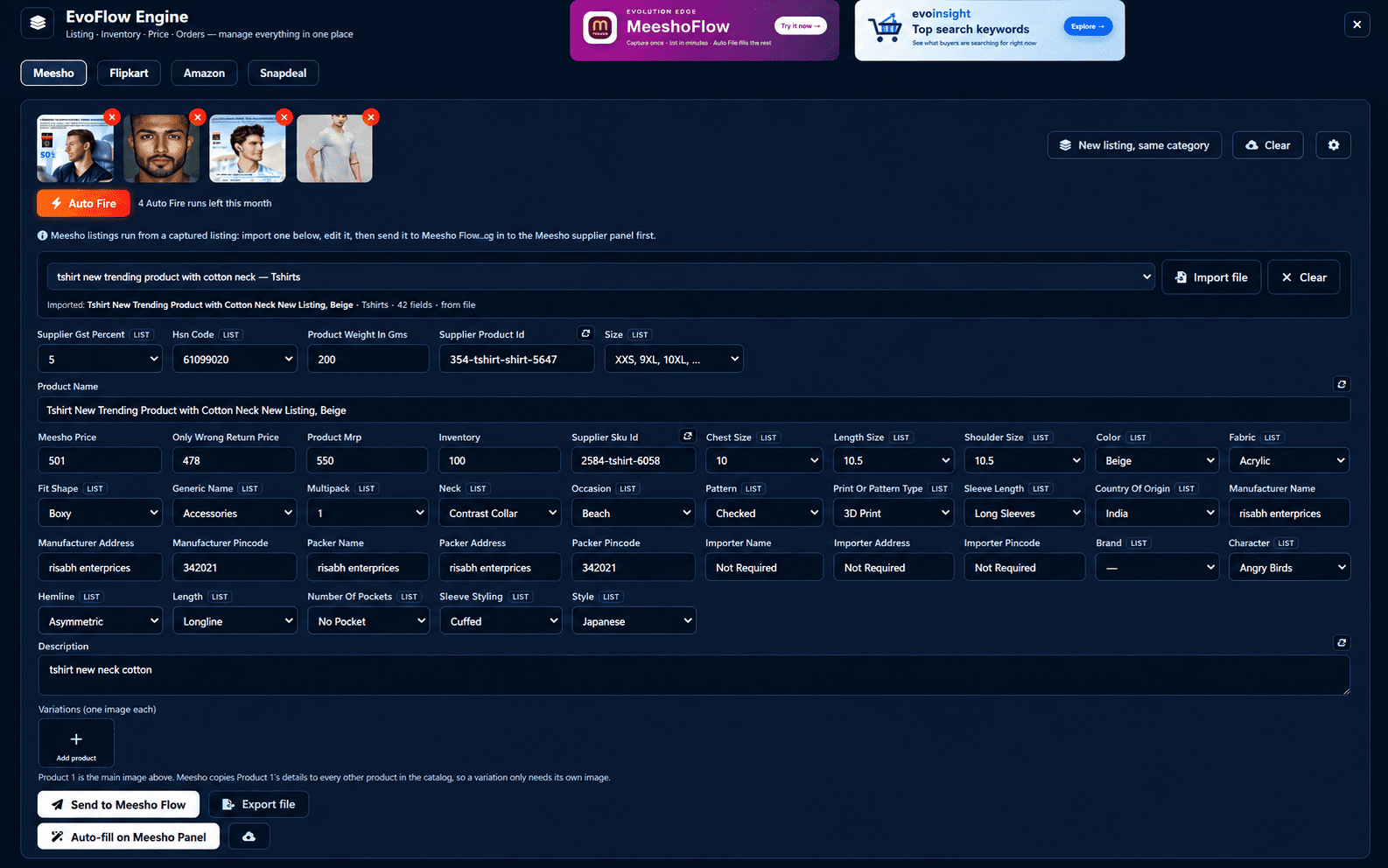
EvoFlow builds the listing once — photos in, fields out — then fills it straight into your seller panel. Capture a live listing, edit its real category fields, add variations, and let it run.
- Meesho — live
- Flipkart — live
- Amazon — coming soon
- Snapdeal — coming soon
The same product, four times.
Every marketplace wants the same title, price, GST and HSN in a different form.
Category fields nobody hardcodes.
A mixer and a t-shirt share almost no fields, so a generic form quietly drops half of them.
Typing is the slow part.
The catalogue is not hard — retyping it forty times is.
How it works
Four steps, once per product.
Add up to 4 photos.
Drop your product shots into EvoFlow. They are resized on your machine before anything leaves it.
Hit Auto Fire.
AI reads the photos and fills the title, description, category, price, GST, HSN, weight and size.
Review and adjust.
Every field stays editable. Dropdown fields are matched to the marketplace's own options, and price problems are flagged before you run.
Fill the panel.
One click auto-fills your seller panel — or hand the listing to Meesho Flow and watch it run.
Features
What EvoFlow does.
Auto Fire
Product photos in, a full listing out: title, brand, category, description, MRP, price, stock, SKU, GST, HSN, weight and size.
Capture a live listing
Pull a listing off your Meesho panel with its real, category-specific fields — nothing hardcoded, nothing dropped.
Variations, one image each
Meesho copies Product 1's details across the catalog, so each variation only needs its own photo.
New listing, same category
Keeps category, GST and HSN. Clears the rest, so the next product in that category starts half-done.
Bulk copies
Run up to 5 copies at once, with titles and descriptions generated so they do not come out identical.
Shipping Optimization
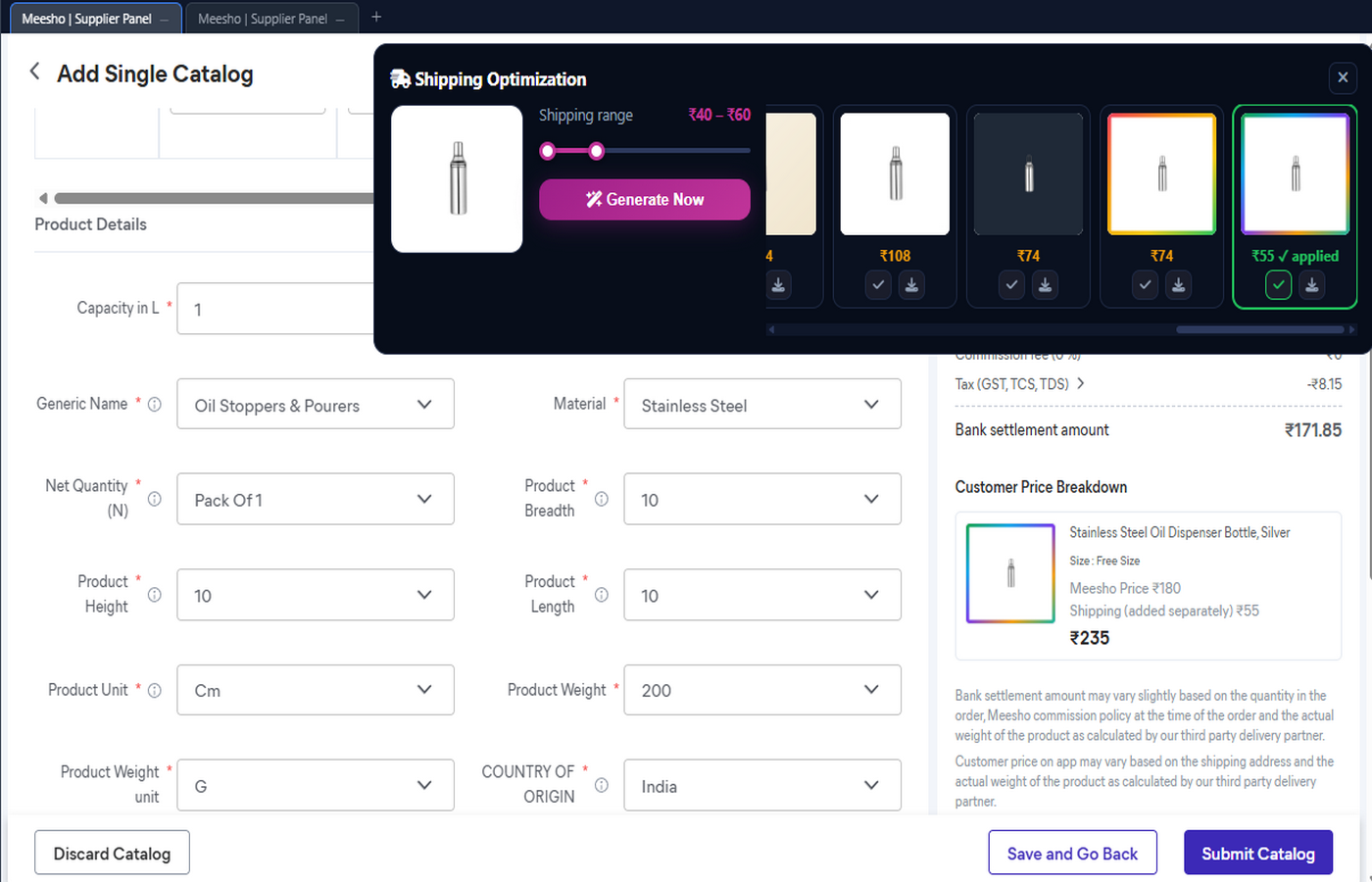
Pick the shipping window you will accept, and EvoFlow keeps only the variants that land inside it.
Carry a listing anywhere
Export a listing to a file and pick it up on another machine exactly where you left it.
One panel, every marketplace
Meesho and Flipkart today. The Amazon and Snapdeal panels are built and switch on next.
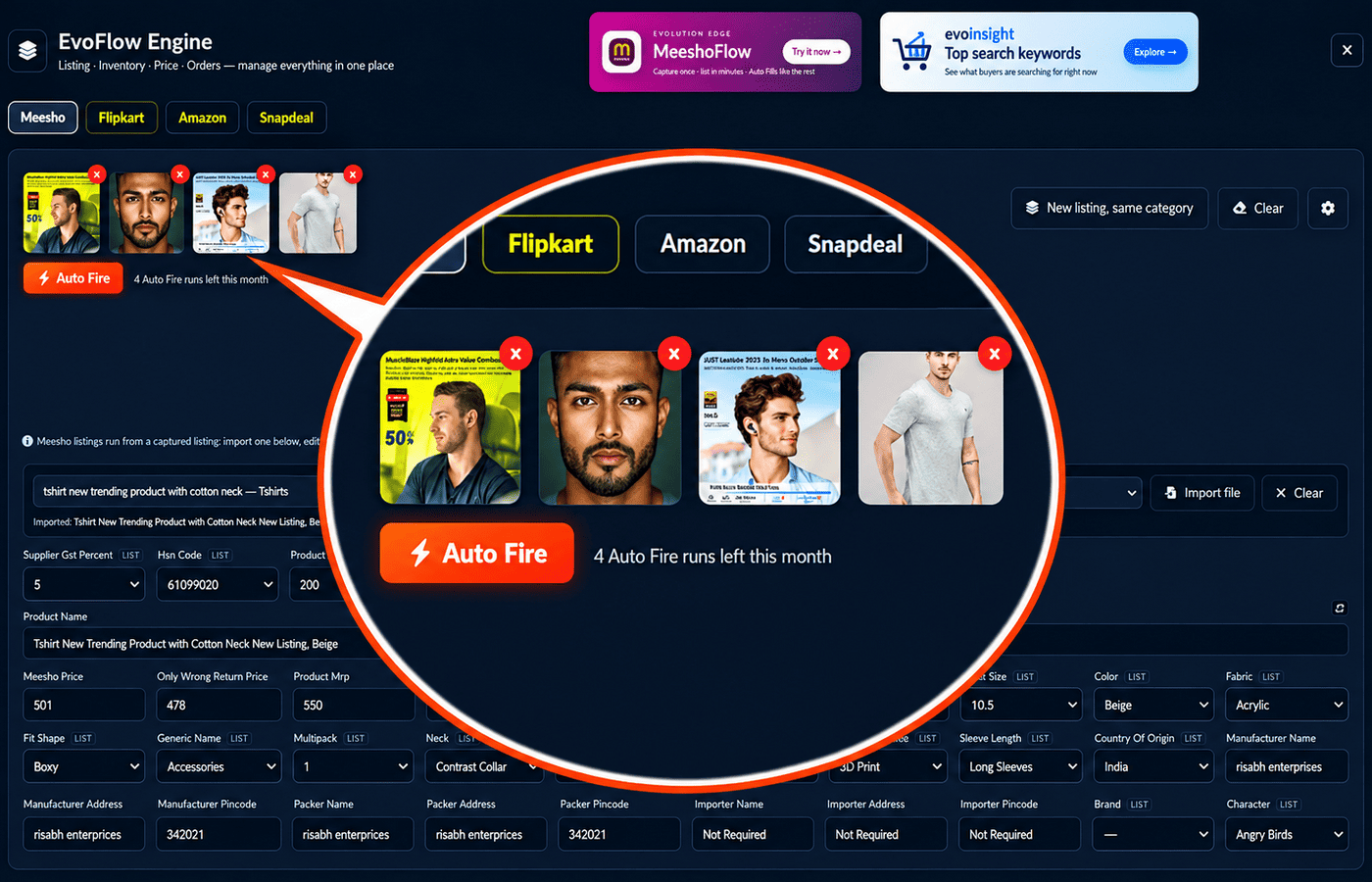
Your photos already know what the listing says.
Add up to four product shots and press Auto Fire. It reads them and fills the whole form — title, brand, category and sub-category, description, MRP and selling price, stock, SKU, GST %, HSN code, net weight and size. Photos are downscaled on your device first, image URLs are never touched, and with a captured listing loaded it fills only the blanks — your own values stay exactly as you typed them.
Auto Fire is part of the premium plan and runs on a monthly allowance that resets on the 1st. A failed run is not counted.
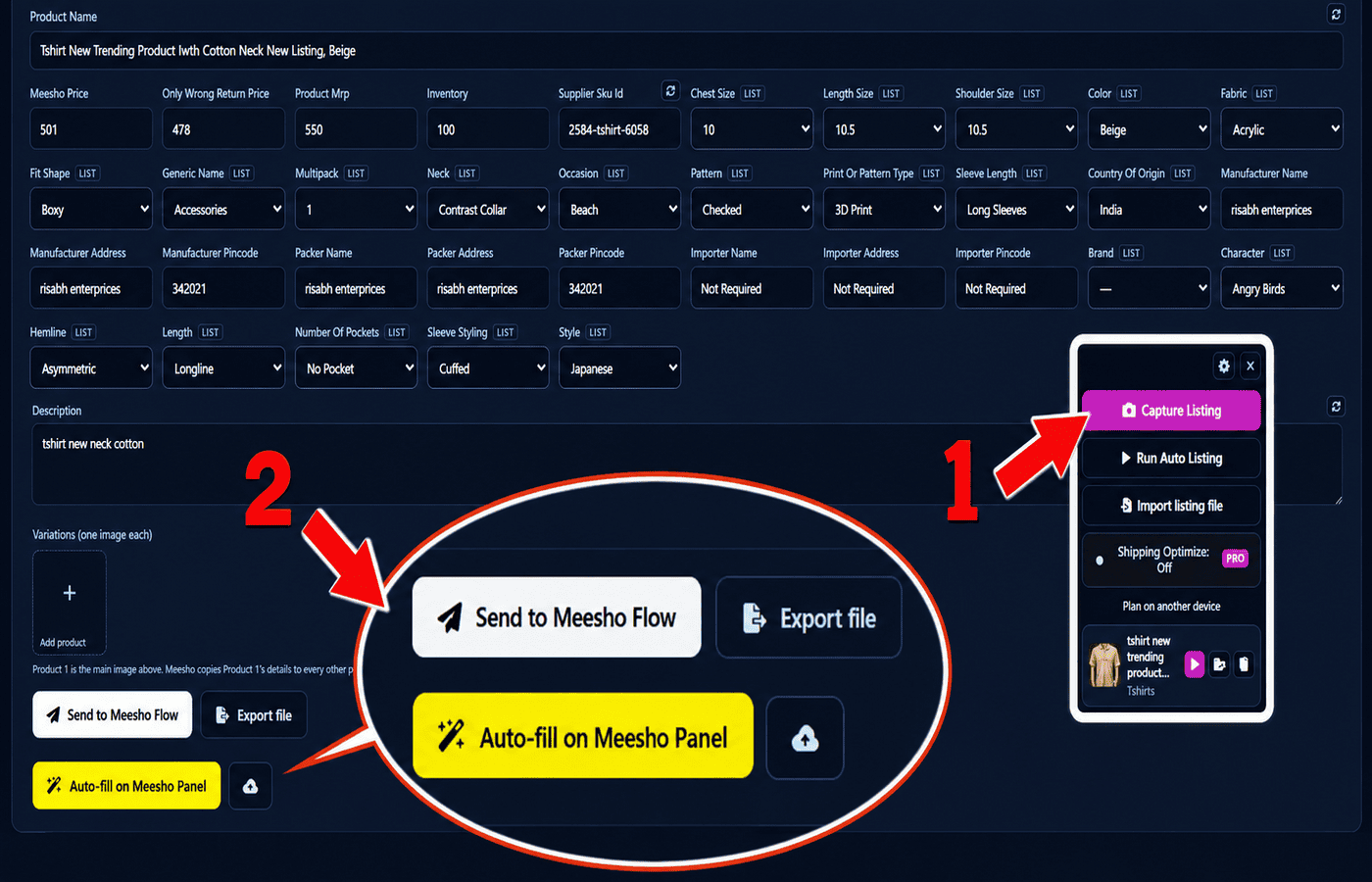
Capture it, edit it, send it back.
Capture a listing from your supplier panel and EvoFlow shows you its actual fields — the ones that category asks for, not a generic guess. Fix what you want, add variations, then send it to Meesho Flow, which drives the panel for you with a progress bar you can pause or cancel. The listing can travel as a file too, if the run belongs on another machine.
Decide what shipping you will accept, then let it search.
Set the window on the slider — say ₹55 to ₹90 — and press Generate. EvoFlow works through variants and keeps only the ones whose shipping charge lands inside your range, with the best one marked. Start it from a captured card, or from the button EvoFlow puts on the Meesho listing page itself.
Marketplaces
Where EvoFlow works today.
| Marketplace | Listing auto-fill | Capture & run | Auto Fire | Status |
|---|---|---|---|---|
| Meesho | Yes | Yes | Yes | Live |
| Flipkart | Yes | Yes | Yes | Live |
| Amazon | — | — | — | Soon |
| Snapdeal | — | — | — | Soon |
Trust
Built for sellers who do not want an API project.
No developer account.
Meesho and Flipkart listing works through your own logged-in seller panel. Nothing to register.
Keys stay on your machine.
Where a marketplace does need API keys, they are encrypted by your OS keychain and never shown again.
Photos are shrunk before they are sent.
EvoFlow resizes on the device — the full-resolution file stays with you.
You approve every listing.
AI fills the form. You press the button.
Plans
Free to try. Premium to run.
Every plan includes capture, auto-listing and Auto Fire — the paid plans raise the monthly allowances and unlock the rest. Allowances reset on the 1st of each month, whichever term you buy.
Free
₹0 forever
No card needed
- 2 listings / month
- 3 captures / month
- 2 Auto Fire runs / month
- No exports
- Shipping Optimization
- FlipkartFlow
- Up to 1 copy per run
Startup
₹199 / month
₹1,672 / year · ₹955 / 6 months
- 10 listings / month
- 10 captures / month
- 10 Auto Fire runs / month
- 10 exports / month
- Shipping Optimization
- FlipkartFlow
- Up to 2 copies per run
Business
₹599 / month
₹5,032 / year · ₹2,875 / 6 months
- 100 listings / month
- 100 captures / month
- 60 Auto Fire runs / month
- 100 exports / month
- Shipping Optimization
- FlipkartFlow
- Up to 3 copies per run
Business Premium
₹999 / month
₹8,392 / year · ₹4,795 / 6 months
- Unlimited listings
- Unlimited captures
- 100 Auto Fire runs / month
- Unlimited exports
- Shipping Optimization
- FlipkartFlow
- Up to 10 copies per run
Business Bonanza
₹2,999 / month
₹25,192 / year · ₹14,395 / 6 months
- Unlimited listings
- Unlimited captures
- 100 Auto Fire runs / month
- Unlimited exports
- Shipping Optimization
- FlipkartFlow
- Up to 10 copies per run
Compare every plan
| Feature | Free | Startup | Business | Business Premium | Business Bonanza |
|---|---|---|---|---|---|
| Capture a live listing | ✓ | ✓ | ✓ | ✓ | ✓ |
| Captures per month | 3 | 10 | 100 | Unlimited | Unlimited |
| Run auto-listing | ✓ | ✓ | ✓ | ✓ | ✓ |
| Listings per month | 2 | 10 | 100 | Unlimited | Unlimited |
| Auto Fire (AI autofill) | ✓ | ✓ | ✓ | ✓ | ✓ |
| Auto Fire runs per month | 2 | 10 | 60 | 100 | 100 |
| EvoFlow export / import | ✓ | ✓ | ✓ | ✓ | ✓ |
| Exports per month | — | 10 | 100 | Unlimited | Unlimited |
| Variations | — | ✓ | ✓ | ✓ | ✓ |
| Title / description randomizer | — | — | ✓ | ✓ | ✓ |
| Shipping Optimization | — | — | ✓ | ✓ | ✓ |
| Shipping runs per month | — | — | 50 | Unlimited | Unlimited |
| FlipkartFlow | — | — | — | — | ✓ |
| Capture All (every live listing at once) | — | — | — | — | ✓ |
| Bulk export | — | — | — | — | ✓ |
| Meesho → Flipkart sync | — | — | — | — | ✓ |
| Copies per run | 1 | 2 | 3 | 10 | 10 |
| Devices | 1 | 1 | 1 | 1 | 2 |
Plans are checked against your account — features unlock the moment your plan does. Buying six or twelve months is a discount on the price; your monthly allowance still resets on the 1st.
FAQ
Questions sellers actually ask.
Do I need Meesho or Flipkart API access?
No. EvoFlow fills the seller panel you are already logged into. Only Amazon — which is still coming — uses your own API keys.
Does Auto Fire post the listing by itself?
No. It fills the form. You review the fields and press the button.
What does Auto Fire actually fill?
Title, brand, category and sub-category, description, MRP, selling price, stock, SKU, GST %, HSN code, net weight and size. It never fills image URLs.
What happens to my product photos?
They are downscaled on your machine and sent for analysis only when you press Auto Fire.
Will it overwrite fields I typed?
No. On a captured listing, Auto Fire fills only what is empty.
How many listings can I run at once?
Up to five copies per run on the premium plan, one on free.
Can I move a listing to another computer?
Yes — export it to a file and import it on the other machine.
When are Amazon and Snapdeal coming?
Both panels are already built inside EvoFlow and will switch on in a coming release.
Which operating system does it run on?
Evolution Edge is a Windows desktop app. EvoFlow is a module inside it.
Fill the form once. Let EvoFlow do the typing.
Meesho, Flipkart, Amazon and Snapdeal are trademarks of their respective owners. Evolution Edge is an independent seller tool and is not affiliated with or endorsed by them.